UI/UX IN WEB DESIGN
INTRO
The purpose of this training is to give you a better understanding on how to apply UI/UX best bractices to your OE Site Production workflow, what to request from clients as far as assets for a site go, how to organize your clients' content and efficiently cut time to your production workflow while at the same time educating the client in presenting their product/ service in a user-friendly manner.
WHAT IS UI/UX IN WEB DESIGN?
UI Design or User Interface Design is responsible for the transference of a brand’s strengths and visual assets to a product’s interface as to best enhance the user’s experience and visually guide the user through the product’s interface via interactive elements and across all sizes/platforms.
User experience design (UXD or UED) is the process of enhancing customer satisfaction and loyalty by improving the usability, ease of use, and pleasure provided in the interaction between the customer and the product.
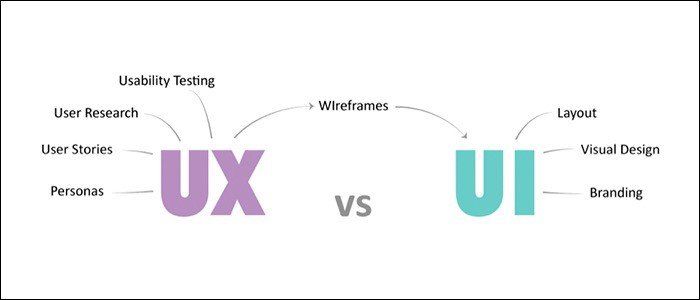
The Definition of UI
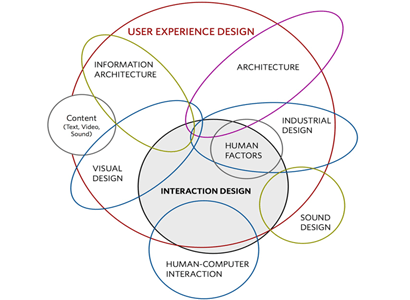
The Definition of UX
How to these two fields apply to OE Production Workflow?
Usually these two are cosidered as different stages of a project. While we focus on creating the User Interface
WIREFRAMES IN WEB DESIGN
In web design, a wireframe or wireframe diagram is a grey-scale visual representation of the structure and functionality of a single web page or a mobile app screen. Wireframes are used early in the development process to establish the basic structure of a page before visual design and content is added, and can be created using paper, straight into HTML/CSS or using software apps.
How do wireframes apply to OE Production Workflow?
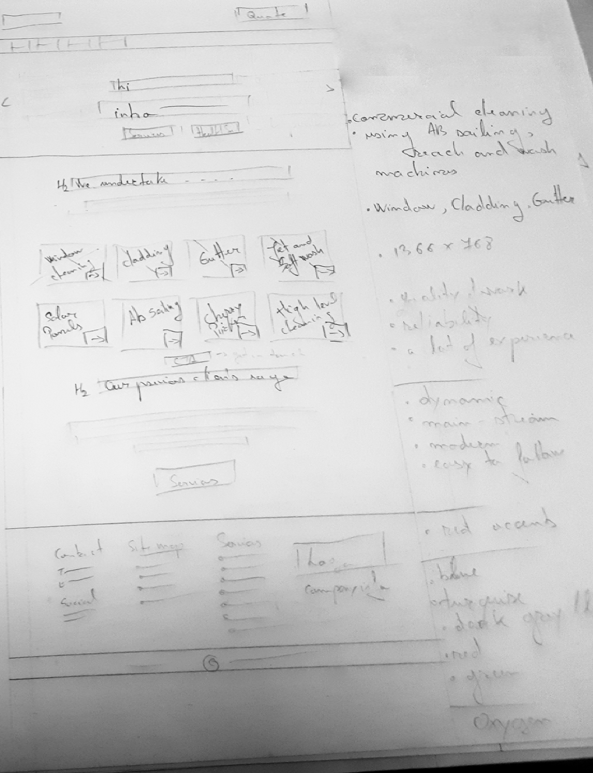
While in the Design Homepage stage of your worlflow, skech on a piece of paper after reading the copy. It can help you add a sense of order for the sections on your page and get the most out of your homepage design.
Most if not all users, don't read the entire text on a site. They just skim trough the headings.
That is why it's recommended that you
read the entire copy,
design brief and client notes and
establish a structure wih your main titles/headings. This will help you on the long run to determine how and what sections your site will have and best judge if the amount of text you have in your copy is appliable to the examples/layouts the client has selected, what section can and can't be used.
And what types of wireframes should we use in our Workflow?
There are four different types of wireframes ranging from the simplest type (pen and paper) to the most complex (nearly simulating the real thing):
- Basic wireframes
- Also known as low-fidelity renderings, these are very simple page schematics, usually in black-and-white.
- Annotated wireframes
- Annotations are brief notes, typically on the side or bottom of a wireframe, that describe each item on the wireframe, usually separated by areas of content and functionality, and show (briefly) the reason and purpose for each item.
- User flow wireframe
- When annotation is not sufficient to show how a site or app user will logically move through content from page to page, more information may be required. User flow wireframes can be static views of a fully interactive wireframe, but they could include a slideshow or a collection of wireframes in series to show a primary user flow or set of user flows.
- Interactive high definition wireframes
- You can experience interactions (e.g., taps, clicks, and swipes) within or between individual wireframes. This variation of wireframes can only be done in presentation and graphic design, or wireframing and prototyping software. For example: https://projects.invisionapp.com/d/main#/projects
For our workflow the best wireframes to use are basic and annotated wireframes. These will punt into worder your ideas and even provide new ones as you work on them.
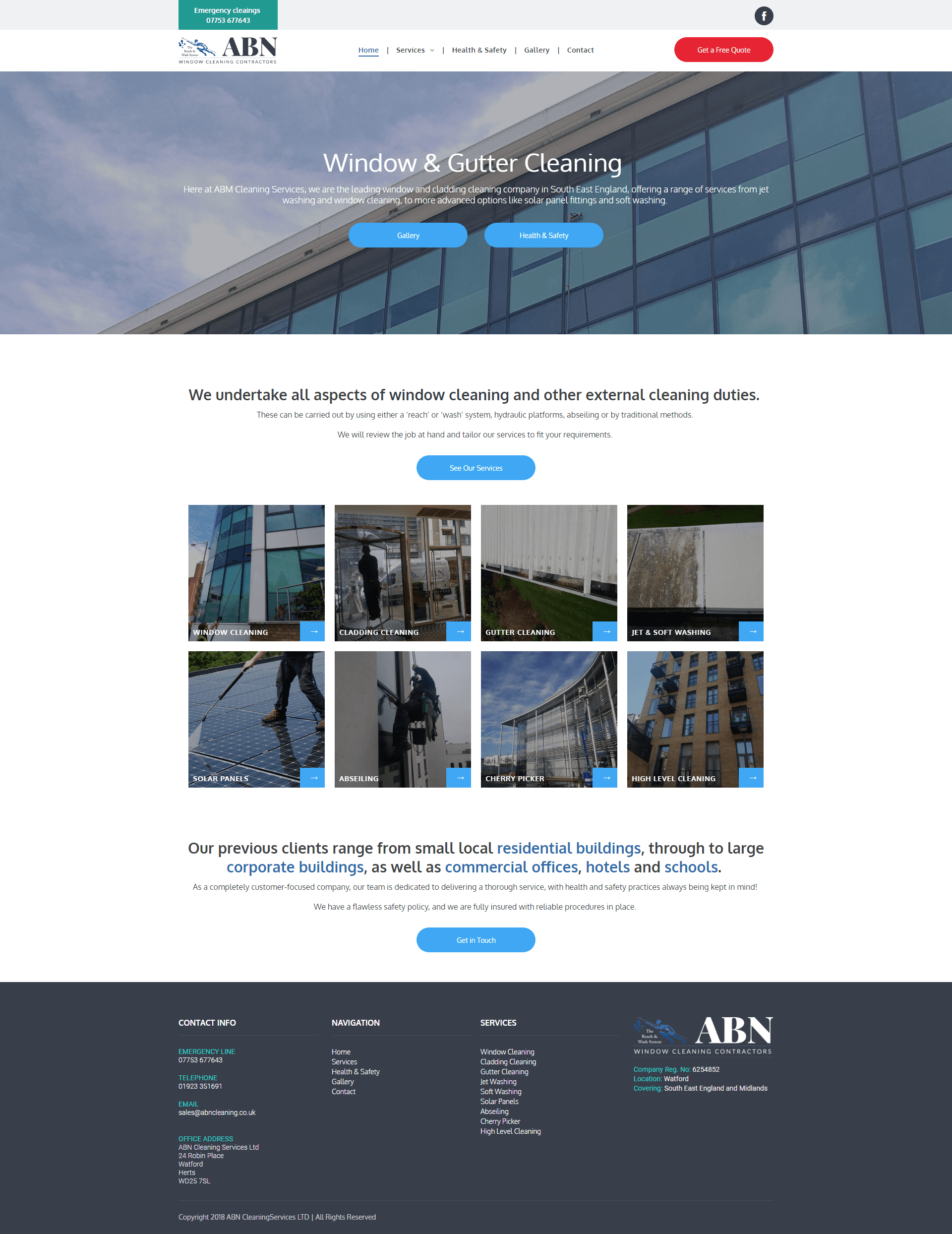
Example - Annotation wireframe to end live prototype : https://abn-cleaning.multiscreensite.com/